Sunday, 15 March 2020

2019 Inquiry Stocktake

During my last year inquiry about students' intellectual and cognitive engagement, I focused on providing real opportunities for my students to become interested in their learning. I believe that my cross-curricular approach led to their increased motivation, genuine cognitive engagement and the rewarding achievement data at the end of 2019.

I’ve used the ‘Inquiry Stocktake’ doc to reflect on my TAI 2019 and think about how I can improve my teaching practice this year.

What worked well in 2019: 

cross-curricular teaching, collecting student voice and building on their interest and prior knowledge, being observed by my COL colleagues and ALiM facilitators and receiving their feedback, working with data

Last year, I used a cross-curricular approach trying to extend our inquiry learning through various reading, writing and math activities and show my students a real purpose of each part of the Learn-Create-Share process.

I believe that I developed a range of teaching strategies and created tasks, follow-up and independent activities that supported my students not to just stay engaged and motivated during our projects but retain their new knowledge and skills and be able to apply them in real life for a real purpose.
Learning from observations: It was good to have a COL observation and numerous ALIM observations followed by discussions and feedback from my COL colleagues and the AliM facilitator.
Collecting my colleagues' voice was an interesting experience as I'd never done this before. It helped me to critically reflect on my practice, feel appreciated but also plan my next steps for improvement.
Collecting student voice in T2 about relationships and in T3 about communication helped me to identify the areas to pay more attention to. I'm glad that the students were feeling safe, happy and learnt a lot in my class (according to what they said:-)
Analyzing data and effectively using it for my planning. As a result, all of my students showed great progress in all areas of learning.

Challenges that I had in 2019: 

having a Y2/3 composite class and time challenge 

Having Year 2 and 3 students in a class was a bit challenging due to their age-specific differences (same as this year). Reflecting on my 2019 TAI, I need to better control myself in order to slow down as I don't want my students to rush through their activities as it will affect their learning outcomes and experiences. On the other hand, my advanced learners also have to be continuously challenged and engaged. It requires a lot of planning and preparations. I have to remind myself that although I have high expectations for all of my students, I must keep it less challenging for my younger students to make sure they are feeling successful and motivated.

As a professional, I am constantly learning. Whether we (teachers) are learning through PD reading or during internal or external PLD sessions, we are being exposed to a lot of new and important information that is supposed to enhance our skills and knowledge. However, there's a big difference between absorbing information and putting it into practice. Without applying newly gained knowledge, the training people have received will go to waste. It's important to have a strategy and time for implementing new learning.

The support I need in 2020

I am going to reach out to other teachers who proved to be effective practitioners, members of the Woolf Fisher research team and the Manaiakalani team to help me connect with other teachers who are passionate about the integrated curriculum.
Currently, I am meeting with GTS Principal and DP fortnightly to discuss what I’m doing to support other teachers and plan the next steps.

Tuesday, 25 February 2020

Relationships, Relationships, Relationships

I would like to share this Nathan Wallis's video interview that we watched during our staff meeting at Glen Taylor School. Nathan Wallis is a Neuroscience Educator & Director of X-Factor Education.

I believe that setting up positive and respectful classroom norms, creating feelings of trust and safety for students are extremely important and definitely worth teachers' time and effort. The high-quality relationships are at the foundation of students' deeper thinking and engagement.


Tuesday, 4 February 2020

Motivation and Cognitive Engagement in Learning Environments


Reading: 
Motivation and Cognitive Engagement in Learning Environments

Blumenfeld, P. C., Kempler, T. M., & Krajcik, J. S. (2006). Motivation and Cognitive Engagement in Learning Environments. In R. K. Sawyer (Ed.), The Cambridge handbook of: The learning sciences (pp. 475-488). New York, NY, US: Cambridge University
Press.https://www.researchgate.net/publication/232418824_Motivation_and_Cognitive_Engagement_in_Learning_Environments 

Synopsis
In this reading, the authors briefly review the literature on motivation and cognitive engagement and discuss how the key features of learning environments are likely to influence them. They indicate some challenges for students and for teachers, which may have negative effects on motivation and describe strategies for meeting these challenges.

Motivation
When we think of student engagement in learning activities, it is often convenient to understand engagement with an activity as being represented by good behaviour (i.e. behavioural engagement), positive feelings (i.e. emotional engagement), and, above all, student thinking (i.e. cognitive engagement) (Fredricks, 2014).
I'm constantly trying to target all three types of engagement. I clearly see that project-based learning fosters student motivation and, as a result, student engagement. Reflecting on my practice, I see a big shift in my understanding of how to motivate and get my students intellectually, emotionally and cognitively engaged. However, I believe that personal and professional learning never stops, so I like to read more about this aspect of pedagogy and implement successfully-proven practices in my classroom.

How will it help me? How has it helped me?
Interestingly, the authors identified the same challenges that I face and have to meet in my daily work. They talk about using students' interests and the importance of incorporating topics that students find interesting (dinosaurs, space, etc). The challenge for the teacher is to make sure that while students are working on these topics, they focus not only on seductive details but the new and essential learning is happening. My role as a teacher is to guide my students and create meaningful and purposeful learning experiences that have value and cater to my students' interests and their needs at the same time. Relatedness is another aspect that contributes to student engagement. Our school values of FIRE (Fun, Integrity< Respect and Excellence) are extremely important as they allow my students to feel safe and appreciated during their learning experiences. This promotes collaboration, which in turn results in a higher level of cognitive and emotional engagement. Another challenge for keeping students cognitively and intellectually engaged is a lack of skills and knowledge.

So What?
To overcome these challenges, I will continue to create a positive learning environment, use a cross-curricular approach and some of the ALL/ALiM strategies e.g:

  • Plan for teaching/learning
  • Frontload topic-related knowledge
  • Ensure that the learning environment is safe for sharing ideas.
  • Develop students' confidence to present their ideas, knowing that they will be listened to and valued.
  • Have a shared understanding that mistakes are an important part of learning.
  • Building up their topic-related vocabulary
  • Support students to communicate their ideas. (Maths talk strategies e.g. revoicing, wait time, etc) 
  • Use of technology to enhance their learning 
  • Foster and maintain students' interests

Monday, 3 February 2020

Looking back at 2019 LCS projects


Description - 'Learn Create Share' student-centred project learning. 
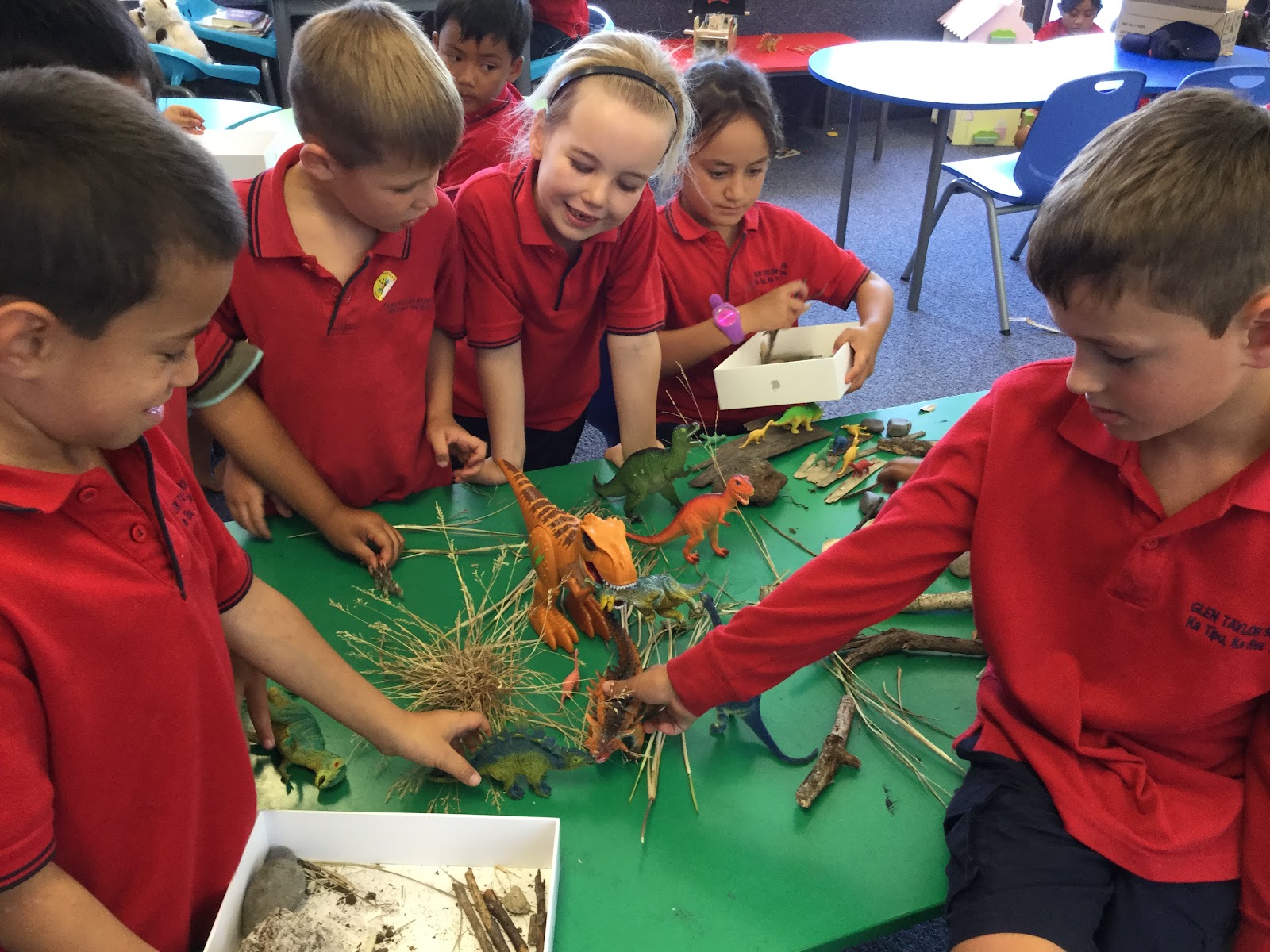
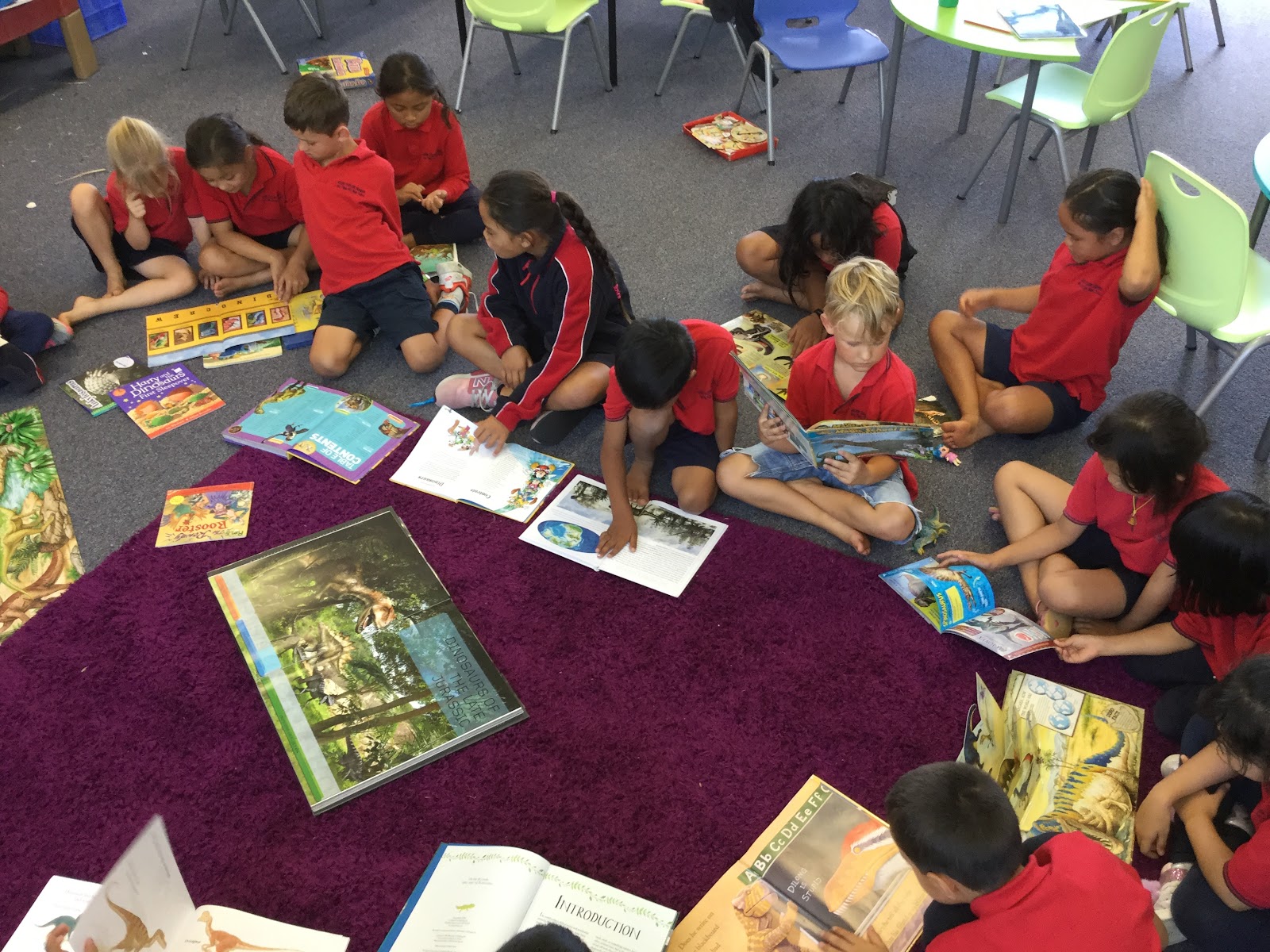
In week 1, I chose to read the book "Chinese New Year" as it was the beginning of the Chinese NY celebration. I hoped that my learners would ask many questions about Chinese traditions and the Chinese calendar. To be honest, I didn't expect that our learning would flow like a mountain stream with many unexpected turns. Following their interests, we first learnt about dragons using multimedia texts. Then my students noticed that the dragons looked like some extinct dinosaurs and we had to investigate more to be able to compare and contrast these creatures. After that, we ended up talking about palaeontology (later on, this led us to explore birds, etc).


Significance
Cognitive engagement is defined as the extent to which students’ are willing and able to take on the learning task at hand. “When children come home talking excitedly about the latest issues they are grappling with in class, this shows that something important has kindled their desire to know more. When students want to bring resources from home that contribute to the class study, do extra at home for the sheer pleasure of it, offer to lead a group of peers, start contributing in unexpected ways, make suggestions to the class on how to improve something or want to stay in when the bell goes because what they are learning is just so absorbing, then we know that students are taking learning to heart. We know that they are curious and inspired.” (Connecting Curriculum, Linking Learning, 2013, by Barbara Whyte, Deborah Fraser and Viv Aitken)
That's exactly what was happening in my class! My learners, their parents and friends were all excited and engaged in our learning.


Learning
Reflecting on my teaching practice, I believe that this project was successful because I was teaching throughout the project—not teaching and then doing the project. Every aspect of learning was purposeful and meaningful to my learners. They wanted to read and write to be able to find out what was interesting to them. The learners decided to find out what dinosaur was the most popular - we conducted statistical investigations learning how to collect, sort out and display data. The students asked how long is 30 metres (the average length of an Argentinosaurus) and we went to measure an imaginary dinosaur on the court learning about non-standard and standard units. During this project, I used a cross-curricular approach and a range of deliberate acts of teaching in flexible and integrated ways that led to the success of our project and increased my learners' cognitive and intellectual engagement.


Friday, 15 November 2019

Day 9. Revision and the Exam!

It has been an honestly rewarding and enjoyable experience. I've loved working with other people who are so clearly dedicated and passionate about effective teaching and learning.

Manaiakalani: Ubiquitous Learning.

Anytime. Anywhere. Any pace. From Anyone. Ubiquitous learning makes learning no longer constrained by time, place, people or pace.  This creates fantastic learning opportunities for our students who generally start school being behind by 30,000,000 words than students living in higher decile areas. The summer learning journey has proven that our students are supported ubiquitously through technology and they have made exceptional growth in their learning in many areas.
I'm very excited to lead this change with my school's junior classes. I believe it is our role, as teachers,  provide rewindable learning experiences ensuring that all of our students have the tools they need to be successful.

Time to reflect and share with my colleagues one more time:

- What did I learn that increased my understanding of Manaiakalani kaupapa and pedagogy?
I truly believe that the Manaiakalani Learn Create Share pedagogy allows teachers to better understand, explore and utilize Curriculum connections to make learning more meaningful for their students. This pedagogy makes learning rewindable, accessible, visible and ubiquitous empowering our students to achieve their successes.

-What did I learn that could improve my confidence, capability or workflow as a professional?
Driven by the idea to gain a better understanding of contemporary education practices and learn how to integrate relevant technologies and techniques into my programme, I joined and successfully completed the Google Certified Educator Level 1.

-What did I learn that could be used with my learners?
Most of the Google Tools will be definitely explored within my learners. We have already used Google Slides, Gmail, Google Sheets, Google Docs, Goggle Maps, Google Earth and I look forward to utilizing their fantastic features to motivate, engage and educate my students.

-What did I learn that could improve my confidence, capability or workflow in my personal life?
I believe that I now have more knowledge and skills to support other Manaikalani teachers and learners. I sincerely believe in the Manaiakalani LCS pedagogy that aligns with my own professional beliefs, values and goals.

Thank you, Dorothy and Gerhard!!


Friday, 8 November 2019

Day 8. Devices

Being Cybersmart - Manaiakalani Cybersmart 
(great resource for cybersmart lessons)

https://beinternetawesome.withgoogle.com/en_us

Reinforcing and consistently using POSITIVE language with our learners is very important!
For example, using positive videos for one week reprogrammes the bad behaviour (this method was used with autistic kids, videoing them doing the right thing and then playing it to them for one week)

The same approach when we teach our student to be CYBERSMART. Talk to the learners using positive/smart language avoiding negative wording.


    Focus on being Smart (not unsafe)
    Smart teachers


    Keep revisiting Kawa of Care

    Do it in a positive way (film positive
    moments, what students should do, not bad
    behaviour!!)

   Only POSITIVE videos, ideas, blog posts,
   language can change bad behaviours!!


Hapara

My Hapara access: https://www.teacherdashboard.com/#/td/manage/

Using Hapara effectively - display all day long on the screen to make it visible to everyone in the class.
Creating folders on the top - can be done for the whole school or for individual classes.

Sharing Tab - making sure that their work/ posts/ entries are shared! (make students do it once a week to clear the folders)

Highlights
Pause screen - it freezes students' screens. 'Stop - Look - Listen' tool. The current settings have defaulted to 15 minutes.

Guided browsing.

Highlights - Activity Viewer - Collaboration

Dashboards - Posts - checking the blog posts. Draft posts (lighter shades with a pencil sign)
you can also check their blog comments
comments highlighted in red - comments came from an anonymous account (not necessarily spam, but needs to be checked out)

The text box at the bottom of the page - feedback or questions to Hapara.

Class Info Tab
Teacher's tool to manage kids accounts. Ask the students to reset the password using your computer

Into to Devices

We had a chance to try and use Chromebooks and ipads. It was really good to experience what our learners experience during their learning journey.

Handwriting in Junior classes in Manaiakalani - stylus - it's just a modern tool. People wrote on different objects throughout history: on wood, on stones, on glass, paper etc. Now it is a new digital era when the kids can practise their handwriting skills using stylus pens on ipads.

Beginning the year with the Junior learners: 


Video to play:
https://docs.google.com/presentation/d/1tuvPxXCuTMG0GyXawcE0wqm3641u3EkwWKcD1leyYEA/edit?usp=sharing


Explain Everything Presentation

Great tool. It needs to be deliberately taught during the first few weeks to develop students fluency in using this tool effectively.

Maths activities (examples)

Great ideas to use explain everything in the classroom


Screencastify
Screencastify is the simplest way to create high-quality screencasts from right within your browser.

Screencastify can be used for:
  • Instructional Videos. 
  • Narrating Slideshows. It's easy to use Screencastify with Google Slides to narrate over slideshows.
  • Explaining Student Understanding. 
  • Dubbing A Video. 
  • Practising Fluency.
  • Providing Feedback.
I found a very good resource full of ideas and activities on how to use Screencastify efficiently in the classroom.
 I'll practise using Screencastify as I think it can be very useful for creating rewindable learning opportunities. The students can also record their thinking, ideas and explain processes. Very excited to use it with my learners.

Another great DFI session full of practical tips and tools!

Friday, 1 November 2019

Day 7. Computational Thinking

Connecting with Manaiakalani

Pedagogy and Kaupapa - Empowered
              
NZ Treasure recognised the value of the Manaiakalani programme and its results.

Agencies are not social workers but the real meaning of "agencies" is the empowerment of the families. 

Technology is just the tool, but the Manaiakalani tries to make it not just a tool providing the new experiences through technology and the pedagogy that is changing the lives of our students and whanau. Technology helps our community to take control of their own lives and enhance the quality of their lives. Ongoing learning to improve their lives because most of our families have a median income of $19000.
An average 5-year old child from our community (Manaiakalani) comes to school being experienced to 32 million less spoken words than a child from the middle-class family. Blogging is a great basis to start oral or/and written conversations helping these kids to catch up.


unpacking the Digital Technologies Curriculum and delve into all things Coding, Computational thinking and tech.


OMGTech! Trailblazers Presentation

10 BREAKTHROUGH TECHNOLOGIES … according to Bill Gates

MIT Technology Review has been publishing Breakthrough Technology lists for eighteen years, and in 2019, for the first time ever, they asked Bill Gates (of Microsoft fame) to be a guest curator. As the Editor-in-Chief Gideon Lichfield says: "Bill's list reflects his belief that we're approaching a tipping point in humanity's technological development - from technologies that mostly make life longer to those that mostly make it better. His choices highlight some of what he considers the most important challenges and opportunities of our time."
Computational thinking
Computational thinking is a two-step process:
  1. Identify the steps needed to solve a problem.
  2. Use your technical skills to get the computer "working" on the problem.
The algorithm is a set of rules/ steps
If you have a larger number, go right
if you have else - left (or if you have a smaller number - go left)

debugging (the process of identifying and removing errors from computer hardware or software)
- you need to think like a machine and set up the rules to solve possible problems.

Ethics and Morals

The Moral Machine. It is a platform for gathering a human perspective on moral decisions made by machine intelligence, such as self-driving cars. They show you moral dilemmas, where a driverless car must choose the lesser of two evils... does it kill two passengers or five pedestrians?
Curriculum Deep Dive

Digital technologies is MORE than coding. It is about thinking. It is about problem-solving. It is about making choices. There are two parts: -Computational Thinking for Digital Technologies (students will develop an understanding of computer science principles that underlie all digital technologies. They’ll learn core programming concepts so that they can become creators of digital technology, not just users). -Designing and Developing Digital Outcomes (learning how to design quality, fit-for-purpose digital solutions).

Hour of Code Activities
It was great to explore a range of educational coding activities that can be used with my young learners.
https://hourofcode.com/nz/learn - a great place to get ideas and resources!!!
Scratch https://scratch.mit.edu/ - Apply for a teacher account to set up a class. Inside the class, you can set up multiple studios and projects.
*** !!! Scratch Junior Projects can be saved in Photos.
You need to add the screen recording button to your Control Center, which you can do using the Settings app. To record the screen, pull down the Control Center and tap the record button. Completed videos are saved in the Photos app

Basic Electronics/ Electricity

Using Zombie Lights to teach/ introduce basic electronics. Can be easily extended to the zombie cross-curricular lessons.


We haven't explored Makey Makey during the class time, however, I had a chance to talk to our educator during the lunch break. To take it further, I googled for some projects and here are projects that inspired me:
Today's learning will definitely help me and my team implement the new Digital Technology curriculum.